Blog
What to Look Out for When Picking a GIS Printer to Print Maps

Technical Printing
|20 Mar 2023
If you are in a field of work that interacts with a geographic information system (GIS) in business, it's vital to possess the appropriate tools. This is true even more so if you need to print maps during the course of business. Many government agencies, civil engineers, environmental researchers, and others use GIS daily. When you are researching a printer that can produce GIS maps, it can be daunting to determine which is going to work best for your organisation's needs.
Some things to consider include what type of GIS software or programs you use, your printing frequency, and your colour needs. Taking stock of your company's uses helps narrow down the multitude of options available. Of course, making the most informed decision is key to the continued success of GIS printing. Hence, here are some factors to consider when selecting a large format printer to deliver the best quality map printouts.
What Is GIS Printing?
The Importance of Choosing the Right GIS Printer
Everything to Consider Before Picking a GIS Printer
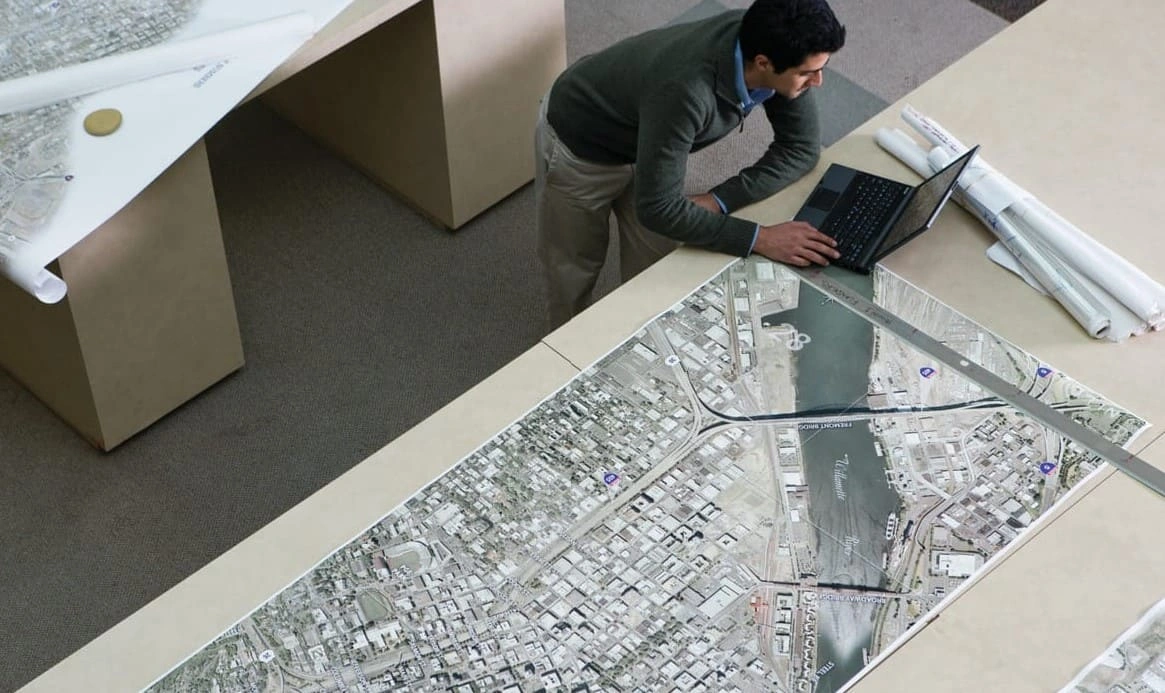
You must begin by assessing your business’s needs and wants for printing GIS maps. We have narrowed the most pivotal requirements below into easily followed categories.
It can be tempting to make a selection based solely on a product review or professional recommendation. For the benefit of your organisation, though, review the following considerations first.
Compatibility With GIS Software
File Formats Used in GIS Software
Existing GIS Tools and Platforms
Print Resolution Capability
Accuracy and Detail in Map Printouts
Colour Resolution
Ability to Handle Media
Printing With Specialised Paper
Printing Large Documents
Since there is no single standard approach to selecting a GIS printer, reach out to HP for assistance with your search. We have a depth of experience in connecting people with the best product for their organisation's uses. Our expert staff is just a web click or phone call away.
Download our eBook now and discover how innovation is streamlining workflows, producing prints of unmatched quality and increasing IT efficiency like never before.
Download eBook nowRelated printers

HP DesignJet T250 24-inch Compact Large Format A1 Plotter Printer + HP DesignJet T200/T600 Automatic Sheet Feeder + HP Installation Service for Design
A1 Colour HP DesignJet Large Format Printer, Perfect for Small Offices & Business Print 30 sec/page on A1; 76 A1 prints per hour USB, Ethernet, Wi-Fi Touchscreen; Automatic document feeder; Front USB flash drive port
MYR 5860.00MYR 4980.00Buy now
You Might Also Like
Cost-Effective Printing of Safety Plans and Wayfinding Information
How to Make Your Printer Faster for Urgent Blueprints
Paper-Saving Techniques When Printing AEC Blueprints
Plotter Care Habits That Keep Your Blueprints Job-Ready
How Scheduling Plotter Saves Electricity Costs
Remote Printing Guide to Increase AEC Workflow Efficiency
Cut AEC Operating Costs With HP Plotters
How HP Click Can Streamline Working Processes
6 Tips to Portfolio Printing for AEC Professionals

Blueprint Annotation Guide: How to Add Notes that Stay Sharp on Paper

How GIS Mapping Tools Support Large Format Printing for Civil Engineering

A Guide to Large Format Printing For Architects and Designers

Printing Topographical Maps: What AEC Professionals Should Know

How to Use Large Format Plotters for Facility Management Floorplans

Common Mistakes & Fixes for Poor-Quality Blueprints

Common Print File Types for Blueprints Explained

Common Printing Mistakes: How to Avoid Costly Errors in Large Format Jobs

Digital vs. Paper: When to Print Architectural Drawings and When to Share Digitally

Best Practices for Marking Up and Revising Printed Architectural Plans

3 Keys to Print Emergency Maps That Enhance Disaster Response
Select Your Country/Region and Language
Close Country/Region Selector Dialog
Europe, Middle East and Africa
- Africa
- Afrique
- België
- Belgique
- Česká republika
- Danmark
- Deutschland
- Eesti
- España
- France
- Hrvatska
- Ireland
- Italia
- Latvija
- Lietuva
- Magyarország
- Middle East
- Nederland
- Nigeria
- Norge
- Österreich
- Polska
- Portugal
- România
- Saudi Arabia
- Slovenija
- Slovensko
- South Africa
- Suisse
- Suomi
- Sverige
- Switzerland
- Türkiye
- United Kingdom
- Ελλάδα
- България
- Казахстан
- Србија
- Україна
- ישראל
- الشرق الأوسط
- المملكة العربية السعودية
Country/Region :
Close Country/Region Selector
SelectedMalaysia
popUpSRBeginingLabelString
HP Worldwide
Select Your Country/Region and Language
Click or use the tab key to select your country
Close Country/Region Selector Dialog
- Africa
- Afrique
- América Central
- Argentina
- Asia Pacific
- Australia
- Bangladesh
- België
- Belgique
- Bolivia
- Brasil
- Canada
- Canada - Français
- Caribbean
- Česká republika
- Chile
- Colombia
- Danmark
- Deutschland
- Ecuador
- Eesti
- España
- France
- Hong Kong SAR
- Hrvatska
- India
- Indonesia
- Ireland
- Italia
- Latvija
- Lietuva
- Magyarország
- Malaysia
- México
- Middle East
- Nederland
- New Zealand
- Nigeria
- Norge
- Österreich
- Pakistan
- Paraguay
- Perú
- Philippines
- Polska
- Portugal
- Puerto Rico
- România
- Saudi Arabia
- Singapore
- Slovenija
- Slovensko
- South Africa
- Sri Lanka
- Suisse
- Suomi
- Sverige
- Switzerland
- Türkiye
- United Kingdom
- United States
- Uruguay
- Venezuela
- Việt Nam
- Ελλάδα
- България
- Казахстан
- Србија
- Україна
- ישראל
- الشرق الأوسط
- المملكة العربية السعودية
- ไทย
- 中华人民共和国
- 臺灣 地區
- 日本
- 香港特別行政區
- 한국
- Recalls |
- Product recycling |
- Accessibility |
- Privacy |
- Terms of use |
- Limited warranty statement |
- Use of Cookies |
©2026 HP Development Company, L.P. The information contained herein is subject to change without notice.